How to mikrotik Lite SXT 5 Station Bridge?
1-First step:
In this article, we will make an example of a point-to-point (P2P) connection. We will use SXT-G-5HPnD.
We will display the SXT-G-5HPnD wireless configuration with pictures.
Firstly we are making configurations in WLAN 1 in the wireless tab. If we want to write the wireless settings as script code
/interface wireless
set [ find default-name=wlan1 ] ampdu-priorities=0,1,3 band=5ghz-a/n disabled=no frequency=5445 \
frequency-mode=superchannel guard-interval=long mode=station-bridge \
nv2-preshared-key=****** nv2-security=enabled radio-name="test" scan-list=4900-6100 \
ssid=Test_Sektor interface wireless security-profiles
set [ find default=yes ] authentication-types=wpa-psk,wpa2-psk eap-methods="" mode=dynamic-keys \
supplicant-identity=MikroTik wpa-pre-shared-key=password  wpa2-pre-shared-key=password
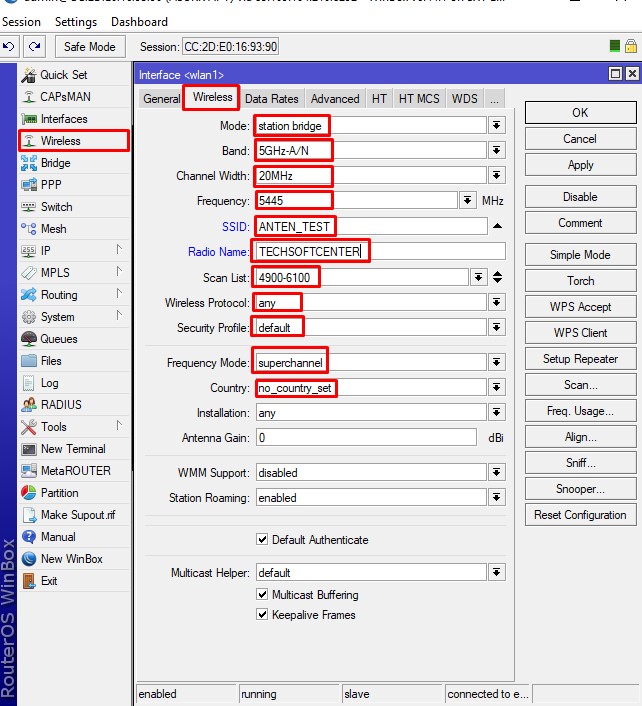
Mikrotik Wirelles
2-Second step:
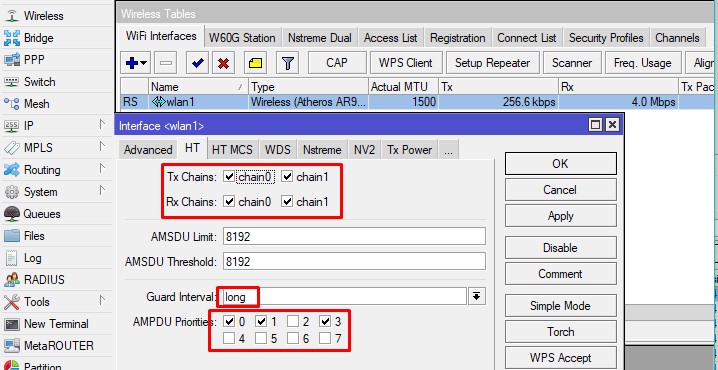
Mikrotik vlan1 HT
3-Third step:
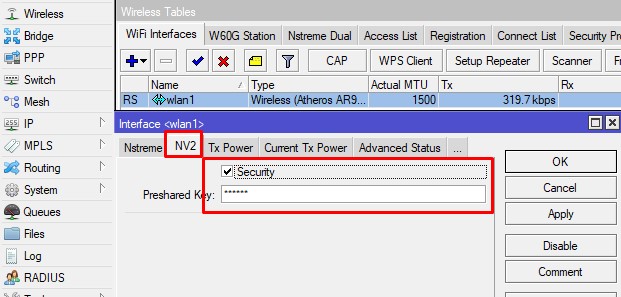
Mikrotik vlan1 NV2
4-Fourth step:
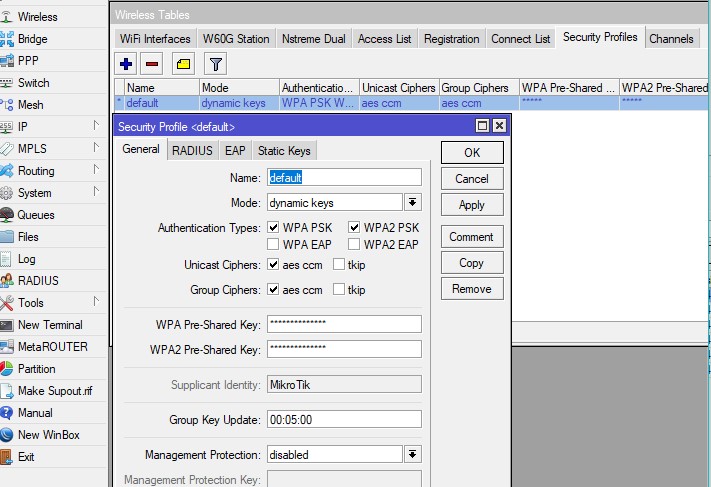
Mikrotik wireless security profile
5-Fifth step:
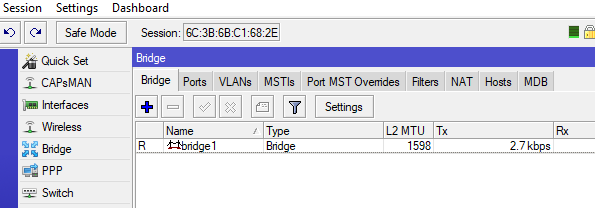
Mikrotik Bridge
6-Sixth step:
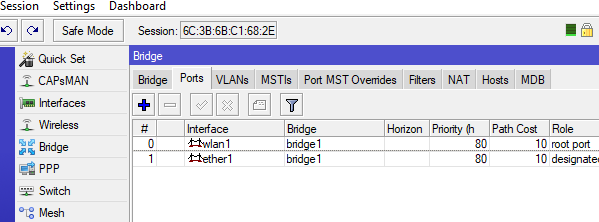
Mikrotik Bridge Port
7-Seventh step:
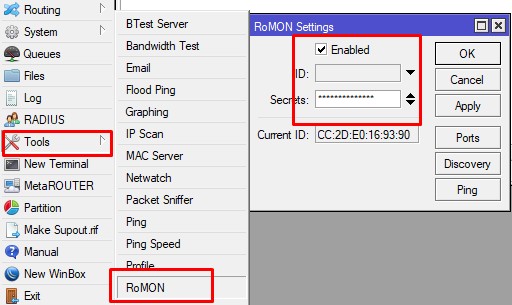
Mikrotik Romon
8-eighth step:
Finally, we give the name of lite and finish our configures
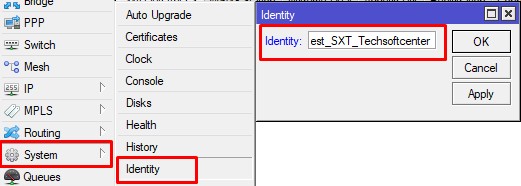
Mikrotik İdentity
In the simplest way, I tried to show the point to point setup.