How to Discover Neighbor Networks in Mikrotik devices?
In this article, we will see how other neighboring networks connected to MikroTik devices are discovered and how we can connect to the discovered devices.
For this, we will see other devices in the same network connected to our Router in the IP> Neighbors> Neighbors List section from the menu on the left side of my MikroTik the device that we are connected to.
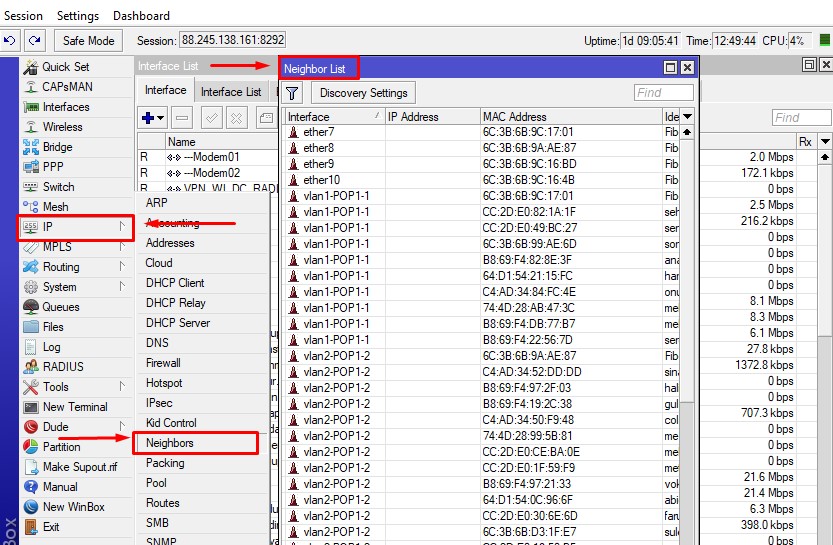
Neighbor_List
Here we will see how to discover the devices connected to our Mikrotik Router.
For this, we click on the Discovery Setting button.
We have four options.
all: This means to discover all devices.
dynamic: Discover active devices.
interfaces List: Discover the devices in the interface list.
none: Discovering any device.
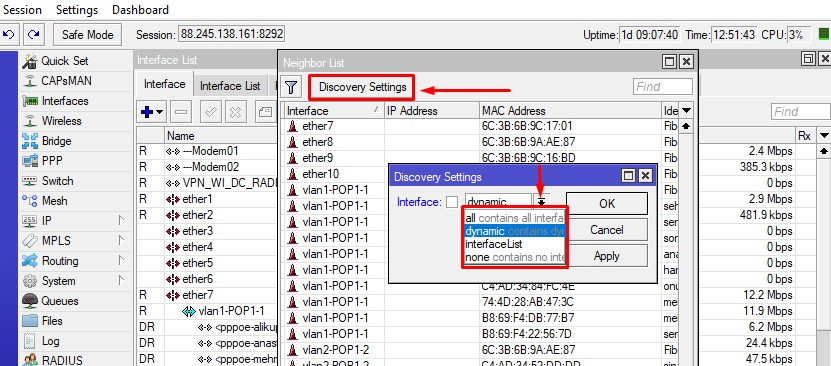
Neighbor_Discovery
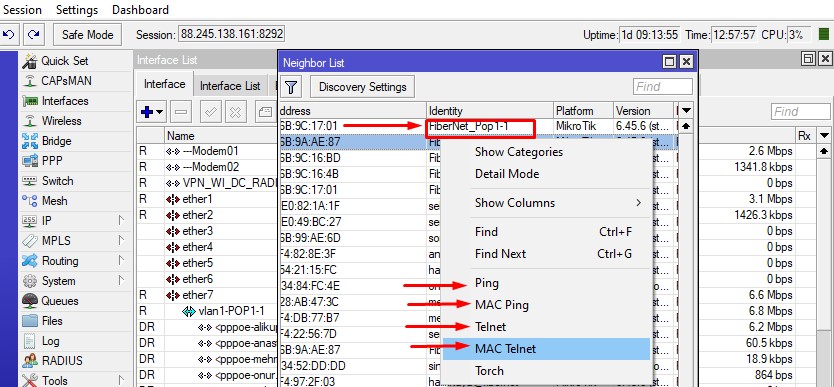
We have the opportunity to ping, MAC ping, Telnet, MAC Telnet and Torch with a neighboring device, as shown in the picture below.
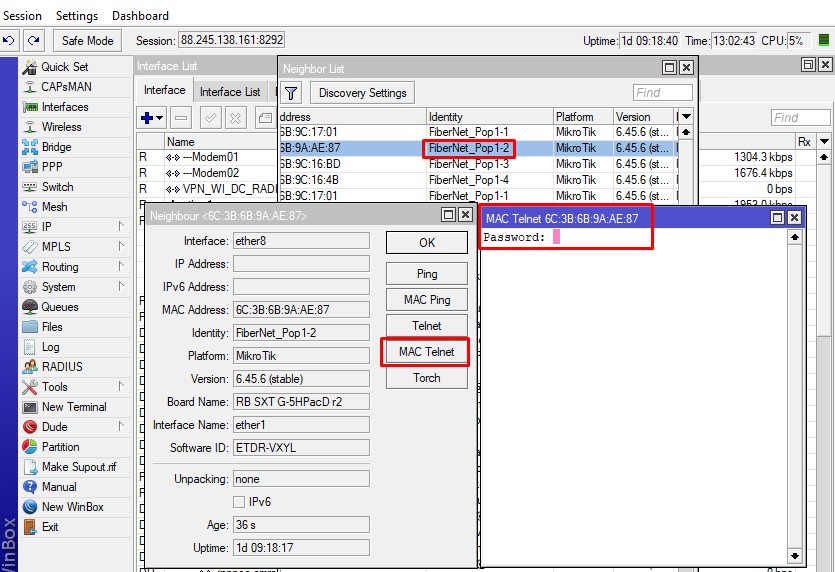
By making a MAC Telnet on the device below, we get the opportunity to perform certain configuration by connecting to a remote device.
I hope it was a useful article.