Windows

Under Win32 dynamic-link library (DLL) Principles of Programming

Fadıl

Relatively large application consists of many modules, these modules were completed relatively independent functions, they collaborate with each other to complete the work of the entire software . Which there may be some module features more common, will still be used to construct other software . Constructed software , the source code for all modules statically compiled into the entire application EXE , it will create some problems: a drawback is to increase the size of the application , it will take up more disk space, the run will also consume a large amount of memory space, resulting in a waste of resources; Another disadvantage is that in the preparation of large EXE , modify the reconstruction must be adjusted to compile all the source code, increasing the complexity of the compilation process is not conducive to unit testing stage.
To Establish Control of the Windows SDK Programming

Fadıl

I. Overview
Control is a child window, they are already defined window class, so there is no need to register, do not need to write the message processing function.
WM_CREATE message in the main window, create a child window can be.
Second, the instance

/ / Parameters: window handle, message, message parameters, message parameters
LRESULT CALLBACK WndProc (HWND hwnd, UINT message, WPARAM wParam, LPARAM lParam)
{
/ / Handle messages of interest switch (message)
{
case WM_CREATE:
CreateWindow (TEXT ("BUTTON"), / / ??control class name "
TEXT ("& button (A)"),
WS_CHILD | WS_VISIBLE | BS_PUSHBUTTON, 10, 10, 100, 100, hwnd, (HMENU) 1000, 
/ / ??control ID
((LPCREATESTRUCT) lParam) -> hInstance, / / ??instance handle
NULL);
return 0;
case WM_DESTROY:
/ / When the user closes the window, the window is destroyed, the end of the need,
 send exit message to exit the message loop PostQuitMessage (0);
return 0;
}
/ / Other messages to the default processing functions provided by the return ::
 DefWindowProc (hwnd, message, wParam, lParam);
}
typedef struct tagCREATESTRUCT {
LPVOID lpCreateParams;
HINSTANCE hInstance; / / instance handle HMENU hMenu;
The HWND hwndParent;
int cy;
int cx;
int y;
int x;
LONG style;
The LPCTSTR lpszName;
LPCTSTR lpszClass;
DWORD dwExStyle is;
} CREATESTRUCT, * LPCREATESTRUCT;

Fourth, control and collaboration of the parent windowThird, on the WM_CREATE message
The WM_CREATE lParam parameter will be passed into a set-up information structure pointer (LPCREATESTRUCT). The structure contains some useful information (when the window to create a parameter).

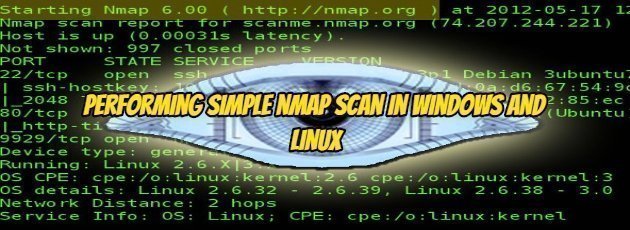
Performing Simple nmap Scan in Windows and Linux

Performing Simple nmap Scan in Windows and Linux

Fadıl

Hi! Nmap is the most powerful tool to check the security level of your website so in this post, I am going to say how to perform it.

There are several scan techniques to know about the server but the plain scan gives you the ports. A plain scan can be filtered by the firewall so every website ports cannot be detected.

Open cmd in windows or terminal in Linux

How To Enable Or Disable AeroShake in Windows 10

Fadıl

Copy codes are given below into notepad and save them as a .reg file, double click on reg file to add them to the registry.
Restart the “Windows Explorer” process to apply changes.

Enable AeroShake :

Windows Registry Editor Version 5.00
[HKEY_CURRENT_USER\Software\Policies\Microsoft\Windows\Explorer]
“NoWindowMinimizingShortcuts”=dword:00000001

Disable AeroShake :

Windows Registry Editor Version 5.00
[HKEY_CURRENT_USER\Software\Policies\Microsoft\Windows\Explorer]
“NoWindowMinimizingShortcuts”=dword:00000001

Part 1:

What is Aeroshake

Aeroshake is a feature of Windows Explorer that allows you to quickly minimize and maximize all windows except current active window.

How To Add Or Remove “Advanced Security” Context Menu in Windows 10

Fadıl

Copy codes are given below into notepad and save them as a .reg file, double click on reg file to add them to the registry, Restart your PC after adding them to registry

Add “Advanced security” to the context menu :

Windows Registry Editor Version 5.00

[HKEY_CLASSES_ROOT\*\shell\Windows.RibbonPermissionsDialog]
“ExplorerCommandHandler”=”{E2765AC3-564C-40F9-AC12-CD393FBAAB0F}”
“CommandStateSync”=””
“Icon”=”ntshrui.dll,-122”
“Position”=”Bottom”

[HKEY_CLASSES_ROOT\Directory\shell\Windows.RibbonPermissionsDialog]
“ExplorerCommandHandler”=”{E2765AC3-564C-40F9-AC12-CD393FBAAB0F}”
“CommandStateSync”=””
“Icon”=”ntshrui.dll,-122”
“Position”=”Bottom”

[HKEY_CLASSES_ROOT\Directory\Background\shell\Windows.RibbonPermissionsDialog]
“ExplorerCommandHandler”=”{E2765AC3-564C-40F9-AC12-CD393FBAAB0F}”
“CommandStateSync”=””
“Icon”=”ntshrui.dll,-122”
“Position”=”Bottom”

[HKEY_CLASSES_ROOT\Drive\shell\Windows.RibbonPermissionsDialog]
“ExplorerCommandHandler”=”{E2765AC3-564C-40F9-AC12-CD393FBAAB0F}”
“CommandStateSync”=””
“Icon”=”ntshrui.dll,-122”
“Position”=”Bottom”

[HKEY_CLASSES_ROOT\IE.AssocFile.URL\shell\Windows.RibbonPermissionsDialog]
“ExplorerCommandHandler”=”{E2765AC3-564C-40F9-AC12-CD393FBAAB0F}”
“CommandStateSync”=””
“Icon”=”ntshrui.dll,-122”
“Position”=”Bottom”

Remove “Advanced security” from context menu :

Windows Registry Editor Version 5.00

[-HKEY_CLASSES_ROOT\*\shell\Windows.RibbonPermissionsDialog]

[-HKEY_CLASSES_ROOT\Directory\shell\Windows.RibbonPermissionsDialog]

[-HKEY_CLASSES_ROOT\Directory\Background\shell\Windows.RibbonPermissionsDialog]

[-HKEY_CLASSES_ROOT\Drive\shell\Windows.RibbonPermissionsDialog]

[-HKEY_CLASSES_ROOT\IE.AssocFile.URL\shell\Windows.RibbonPermissionsDialog]

You can use the Advanced Security context menu to manually change the owner, change permissions and set up advanced sharing for the selected item.