Windows Server 2008

How to Authenticate with Radius Server on Mikrotik Router

How to Authenticate with Radius Server on Mikrotik Router

Fadıl

We will use the Mikrotik device RB941-2nD model that we will use in this setup. We will proceed by installing Radius Server on Mikrotik RouterOS 6.46.2 version and Windows server 2008.

In the first step, after installing the radius server on Windows server 2008, we will configure it so that the users in the technical section in the environment can access it. Now let’s click on Add Roles under Rollers on the Windows server.

How to Create an ODBC Database Connection in VCenter Server

How to Create an ODBC Database Connection in VCenter Server

Fadıl

The database is required to store the vCenter server. There are two ways you can create a database on the VCenter server. The first is Express SQL 2008 and the other is to use a dedicated database server. In this article, we will see how to create an ODBC database connection with a special SQL server Server 2012 on vCenter Server.

Process of Creating ODBC Database Connection in VCenter Server

Now, as we have installed in SQL Server 2012, Server 2012 R2, let’s create a database and ODBC connection here. But before that, I will create a user account in the active directory that will be used to manage the vCenter server.

How to Make Multiple Remote Desktop (RDP) Connections in Windows?

How to Make Multiple Remote Desktop (RDP) Connections in Windows?

Making Multiple Remote Desktop (RDP) Connections in Windows:

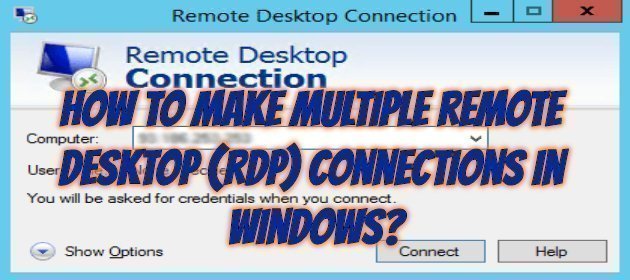
When we want to connect to our Windows server with remote desktop (RDP), it is configured to make a connection by default. If we want more than one person to be connected at the same time, we will have to retry our settings as below.

Type gpedit.msc in the Search box on the Start menu and click on the resulting result or open the Run screen with the Windows + R key.

How To Change Windows Server 2012 RDP Port

How To Change Windows Server 2012 RDP Port

On Windows machines, the default RDP (Remote Desktop Protocol) port that comes with the default is 3389. If you want to change this port, which comes by default for any reason, especially security, you can change it by following the steps below. The same steps apply to all windows servers.

First, run the regedit application by pressing the Windows + R key or Search.

In the window that opens, go to the regedit record shown in the kernel below.

How To Microsoft Windows Server Basic Settings

How To Microsoft Windows Server Basic Settings

Fadıl

There are three important things to do before any roles or features are installed on the server.

The first priority is the Computer name. If you did not specify the name of the machine in Microsoft Windows system setups as you can see from the screenshot below by default by specifying a name comes.

Of course, it would be a good move to replace it with a more logical name that is easy and memorable. I set the following name for my test server.