
Windows 10

How to Install TeamViewer on Linux?

How to Install TeamViewer on Linux?

Teamviewer is a powerful and secure remote access and control program that can run on multiple operating systems and connect to multiple devices at the same time. Remote desktop sharing with technical support also allows us to transfer files between devices connected to the Internet. Teamviewer mainly supports platforms such as Windows, Mac, Linux, Chrome OS, Android, iOS, Windows App and Blackberry.

Main Features of TeamViewer:

  1. It enables us to connect from PC to PC, from mobile devices to PC, from PCs to mobile and from mobile devices to mobile.
  2. It works seamlessly with many new and old versions.
  3. It does not require a special setting.
  4. It is simple to install and use.
  5. Supports more than 30 foreign languages.
  6. It offers high performance.
  7. It provides high security for data transfer.
  8. Free for testing and personal use.

Installing TeamViewer (RedHat, CentOS, Fedora, SUSE)

To install TeamViewer, you can download and install the rpm package, or run the following commands on the terminal.

Git: What are the Basic Commands and Uses?

Git: What are the Basic Commands and Uses?

Fadıl

It’s not like you don’t use SVN / Git systems anymore. In this article, we will see simple Git commands;

Git Create

The Git command is written and compiled briefly as the following command.

git init

When we initialize, the subdirectory structure for git in the folder is created.

Looking at the Situation

Looking at the state of our repository is often something we have to do. We give information about the repo and we understand what to do depending on the situation.

How to Disable a Windows 10 Startup Delay

How to Disable a Windows 10 Startup Delay

Fadıl

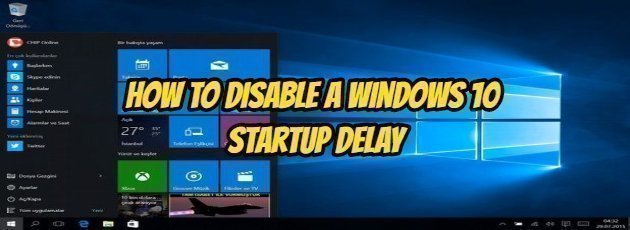
After Windows starts, it waits for about ten or twenty seconds before opening your startup programs. This “startup delay sağ allows your desktop and Windows services to finish the installation and make everything work more smoothly. If you have applications that you want to run immediately, you can do it with a simple Registry hack.

A ten-second delay after Windows starts, but before startup applications are installed, allows the operating system to load into memory and perform the necessary system tasks before applications start to request resources. The Registry change mentioned in this article reduces or disables the startup delay; this applies to all startup applications. There is no way to do this technique only for specific applications.

How to Create a Mail Group in Microsoft Outlook

How to Create a Mail Group in Microsoft Outlook

Fadıl

In this article, I will tell you how to create mail groups in Outlook.
Let’s login from the ‘Contacts’ section at the bottom left of our Outlook account.

After clicking on the Contact ‘ New Contact Group’ on the screen tab, you will see the group name and add a tab as you would in a sub-picture.

The next step is to log in to the ‘Add Members’  tab, click the  ‘From Outlook Contacts’ tab, and the following tab will appear and you will see the contact lists by selecting‘ Global Address Book ‘  from the Address Book section.

How to resolve VMware Device / Credential Guard Error in Windows 10?

How to resolve VMware Device / Credential Guard Error in Windows 10?

Fadıl

When you want to run VMware on Windows 10, you may get the “Device / Credential Guard” error as in the image below.

To do this, follow the steps below to troubleshoot the error and ensure that VMware is running properly.

Let’s first examine the content of the error we received.

“VMware Workstation and Device / Credential Protection are not compatible. VMware Workstation can be run after you disable Device / Credential Protection. ”