Windows 10

How to Enable or Disable USB Ports in Windows 10?

How to Enable or Disable USB Ports in Windows 10?

Fadıl

There are several ways to protect your data on a Windows 10 computer. One of them is to disable the USB ports on your computer because a desired virus or information can be stolen from your PC with a flash memory connected to the USB ports. If you want how to block USB drives to check which devices are connected to your PC, you are at the right place right now.


How to Get OneDrive Deleted Files Back

How to Get OneDrive Deleted Files Back

Fadıl

Suppose we accidentally delete our files on the cloud system you use, Enterprise and Personal OneDrive. So can we get our files back again? Our answer will, of course, be yes, below we will explain step by step how to recover your files or restore the system if an error occurs in the OneDrive system.

Now, when we first enter our Hotmail(Outlook) account, click on the dots in the upper left corner.
We click to go to the OneDrive system.

What is Windows File Recovery Tool? How to use?

What is Windows File Recovery Tool? How to use?

Fadıl

Windows file recovery tool to restore files that were encountered with Microsoft Windows 10 2004 version update and deleted; is an effective Windows 10 tool that allows us to get it from local disks, external disks (USB, Hard disk) from SD cards or even cameras. The main features of the Windows File Recovery Tool are as follows.

The extensions supported by the file recovery tool are as follows:

Extension GroupFile Types
ASFwma, wmv, asf
JPEGjpg, jpeg, jpe, jif, jfif, jfi
MP3mp3
MPEGmpeg, mp4, mpg, m4a, m4v, m4b, m4r, mov, 3gp, qt
PDFpdf
PNGpng
ZIPzip, docx, xlsx, pptx, odt, ods, odp, odg, odi, odf, odc, odm, ott, otg, otp, ots, otc, oti, otf, oth

File system types that we can do file recovery:

How to Make Multiple Remote Desktop (RDP) Connections in Windows?

How to Make Multiple Remote Desktop (RDP) Connections in Windows?

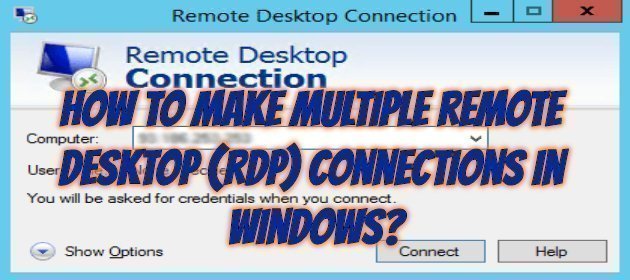
Making Multiple Remote Desktop (RDP) Connections in Windows:

When we want to connect to our Windows server with remote desktop (RDP), it is configured to make a connection by default. If we want more than one person to be connected at the same time, we will have to retry our settings as below.

Type gpedit.msc in the Search box on the Start menu and click on the resulting result or open the Run screen with the Windows + R key.

How to Deal With Computer Crashes (Freezing)?

How to Deal With Computer Crashes (Freezing)?

Fadıl

Dealing with Lockups

DO IT:  As necessary.

If your computer “locks up” on you, you may want to take a look at your Task Manager.  Windows Task Manager is a cool tool that lets you see all the programs you currently have open and determine if any of them are “Not Responding” – or causing your computer to lock up.  If you have one or more programs that are Not Responding, you have the opportunity in Task Manager to end them safely.