Ubnt

Mikrotik and Ubnt fcs error on link

Fadıl

When you see an fcs error it is almost always the cabling on the radio at the other end of the link from where you see the FCS errors.

You can change cables over and over again on the side where the FCS occur and have minimal results.

It can be a bad cable from media converter to Mikrotik, bad media converter, the problem with fiber optic cable between 2 media converters, port on neighbor device and of course port on Mikrotik.

UBNT Powerbeam 5AC Point to Point configuration for Long Distance

Fadıl

UBNT is a wireless and network manufacturer which is mainly used for small ISP and MAN network operators. UBNT is mainly used for medium and long distances like 3-5 km or 1-2 miles. In this tutorial, we will learn how to configure Powerbeam 5AC Point Point long distance configuration.

UBNT Power Beam Point to Point Configuration and Setup

To Point to Point configuration required 2 device required. Both devices will configure in a different mode. Local side device will configure an Access Point mode and Remote side device will configure as client mode.

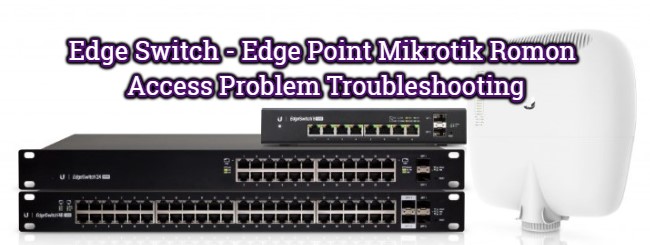
Edge Switch – Edge Point Mikrotik Romon Access Problem Troubleshooting

Edge Switch – Edge Point Mikrotik Romon Access Problem Troubleshooting

Fadıl

Hello there,

The UBNT EdgeSwitch and EdgePoint EP-S16 models were experiencing many revolutions in the past over MAC Discovery Access.

If you have a problem with the mac-discovery protocol (L2) between Romon Mikrotik uygulan s devices (L2), the following steps must be implemented by connecting to your Ubnt Edge Series Switches via SSH, TELNET or CONSOLE .;

1- enable // (type and press enter)
// depending on the software version you use, you may be asked for your login password again,
// enter your login password and press enter (default password: ubnt)
2- configure 
// (type and press enter)
3- mac access-list extended global 
// (type and press enter)
4- permit any any 
// (type and press enter)
5- exit 
// (type and press enter)
6- mac access-group global vlan 1 
// in (type and enter)
// in the above step you grant 1 e RoMon packet pass, which is the default VLAN ID of your Switch,
// If you want to enable RoMon relay for different VLANs on the switch,
// run the command again by replacing 1 in the above code with the desired VLAN ID.
// Example command: mac access-group global vlan 200 in7- exit 
// (type and press enter)
8- quit // (type and press enter)Would you like to save them now? (y / n) 
// warning,// press the letter y to save your changes,
// your command line connection will be closed automatically after saving your changes.

NOTE: This application has been performed in the test environment and has not been tested on active working systems,
Do not forget to take the backup just in case before applying the rules!
UBNT airFiber AF5X/AF5U 5Ghz Point to Point Configuration.

Fadıl

UBNT airFiber AF5X/AF5U   airFiber Login Device

airFiber AF5X/AF5U is a firmware version and web interface of airFiber AF5X/AF5U radio.

Use your computer/Laptop LAN IP 192.168.1.10 or any other ( don’t use 192.168.1.20 in PC LAN)

To login airFiber, AF5X/AF5U device use the default IP 192.168.1.20

UBNT airFiber AF5X/AF5U Login default username:  ubnt UBNT default login password:  ubnt

Country – choose your country from the list.

Language – choose your country language

Mimosa Link Setup and Considerations Points

Fadıl

Mimosa Menu Structure

  • WIRELESS

All settings to be made with the wireless side are in this area.

  • PREFERENCES

This is the part of the device with non-wireless management tools.

  • DIAGNOSTICS

It is the area where the tests are performed, ping, bandwidth and traceroute tests are performed and the logos can be followed with the device.

Wireless /Link

Note:

2 Ms: This mode is for connections over 25.0 km / 15.5 miles