Network

How to Create a Welcome Message on Mikrotik Devices?

Fadıl

Mikrotik devices now offer us the opportunity to create a welcome message both in the new terminal and when we first entered my device, with the update after the 6.46 version.
Let’s show you how to create it.

To do this, simply click on the note from the system part of the Mikrotik menu. Now we can write the message we want in the window that opens. If we want this message to appear to us at each login, it will be sufficient to select the show at login.
How To Make Static Routing?

How To Make Static Routing?

Fadıl

The manual routing of the network administrator is called static routing. When the network structure changes, these routers also need to be changed manually. They are not meant to be replaced by any dynamic routing protocol.

Router>enable
Router#confgigure terminal
Router(config)#ip route 192.168.1.0 255.255.255.0 192.168.0.1

In the example above, the 192.168.1.0/24 network is routed to the 192.168.0.1 gateway.

Predefined Routing

The addresses that the router cannot find as a result of the static and dynamic routing definitions are directed to a predefined address. In case there are roads that can be overlooked as a result of static or dynamic routing, it is recommended to enter the default routing definition to the routers. By default, to route all networks to the 192.168.0.1 gateway;

How to Install Cisco Switch Integration (Syslog)?

How to Install Cisco Switch Integration (Syslog)?

Fadıl

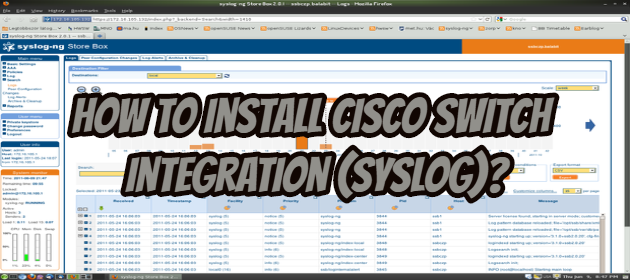
We will see how to do the Cisco Switch Integration (Syslog). For this, we will do the installation by following the steps below.

The enable command switches from user mod to privileged mod.

Switch>enable

Global configuration mode is passed with the configure terminal command.

Switch# configure terminal

The server IP (for UNIX systems) to be logged after switching to Config mode is specified with the command below.

Switch(config)# logging host  192.168.1.10

After entering the command and pressing Enter, we will see a message as below. It is stated that logging has started on the IP address specified on the 514 port.

How is Mikrotik Integration (Syslog) done?

Fadıl

Logsign Log Management

Logsign is an advanced SIEM security solution where the logs of the activities you wish to report on a specified network can be managed. It provides institutions with improved visuality and a better understanding of their networks.

What is the Security Information and Event Management (SIEM)?

It is the technology that is capable of performing sensitive and advanced data security log management within the scope of data security management, gathering the data collected in the data sources you designate to provide this management in a safe and manageable environment and making sense of this data for system administrators.

What is Mikrotik Router Default Username Password and IP Address?

Fadıl

Mikrotik RouterOS default username and password all series (CRS1xx, CRS2xx, CRS312-4C + 8XG, CRS326-24S + 2Q +, DISC, FiberBox, hAP, hAP ac, hAP ac lite, LDF, LHG, mANTBox, mAP, NetBox, NetMetal , PowerBox, PWR-Line, QRT, RB9xx, SXTsq, cAP, hEX Lite, RB4xx, wAP, BaseBox, DynaDish, RB2011, SXT, OmniTik, Groove, Metal, Sextant, RB7xx, cAP ac, CRS305-1G-4S +, CRS309 -1G-8S +, CRS317-1G-16S +, CRS326-24G-2S +, CRS328-24P-4S +, CRS328-4C-20S-4S +, DISC AC, hAP ac², LDF ac, LHG ac, RB4011, SXTsq (ac series) , Wireless Wire, RB3011, RB1100AHx4, RB450Gx4, RB3xx, RB600, RB8xx, RB1100AHx2, RB1100AH, RB1100, RB1200) Username and password are the same for all MikroTik devices. Mikrotik router can be accessed using winbox, webfig, and telnet client. But if the MikroTik router newly purchased or newly reset to factory defaults, you should know the default username and password of MikroTik router.