Network

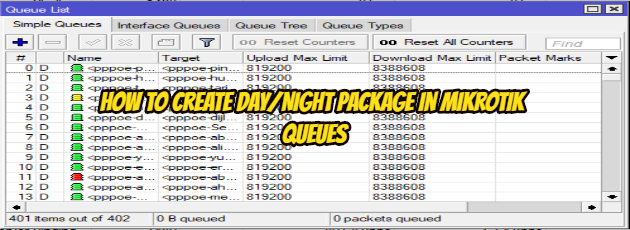
How to Create Day/Night package in Mikrotik Queues

How to Create Day/Night package in Mikrotik Queues

Fadıl

What to do?

1. Create a queue for Day (5MB) and Night (10MB)
2. Create a script for Day (enable Day & disable Night queue) and Night (enable Night & disable Day queue)
3. Create a schedule for Day (8.00 AM=08.00 o’clock) and Night (8.00 PM=20.00 o’clock)

1. Create a queue for Day (5MB) and Night (10MB)

1.1 create queue for Day :

Queue Name: queue_Day
The IP address for Queue: 192.168.1.100 (it's may vary according to you )
Bandwidth : upload =5MB & download=5MB

1.2 Create queue for Night :

Queue Name: queue_Night
The IP address for Queue: 192.168.1.100 (it's may vary according to you )
Bandwidth : upload =10MB & download=10MB

2. Create a script for Day and Night

2.1 Create a Script for Day :

Name: script_Day
Source:/queue simple enable queue_Day
/queue simple disable queue_Night

2.2. Create a Script for Night:

Name: script_Day
Source:/queue simple enable queue_Night
/queue simple disable queue_Day

3. Create a schedule for Day and Night

3.1. Create Schedule for Day:

Name: schedule_Day
Start Time:08:00:00
Interval :1d 00:00:00 or 24:00:00 ; after 1 Day
On event: script_Day; the name of the script that should be run

3.2. Create Schedule for Night

Name: schedule_Night
Start Time:20:00:00
Interval :1d 00:00:00 or 24:00:00 ; after 1 Day
On event: script_Night;  the name of the script that should be run

I hope it has been a useful article.
OSI Layers

OSI Layers

Fadıl

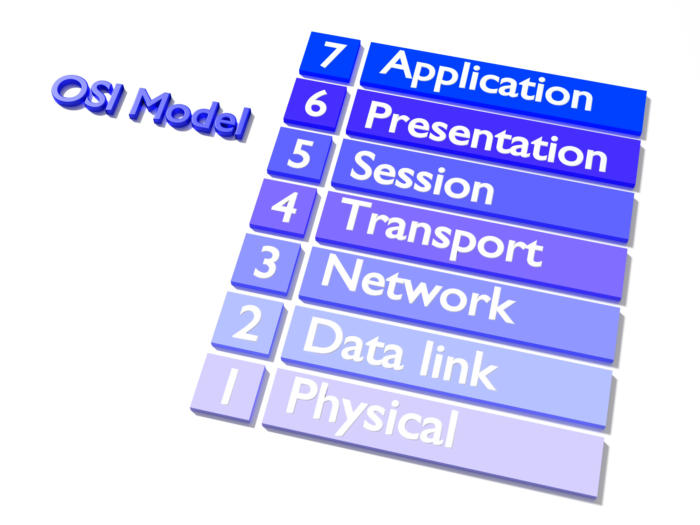
1-Application Layer

It provides a real interface between the computer application and the network. This layer
the one closest to the user. Only this layer does not provide services to other layers.
The application layer is the program that will use the network service. This layer meets the user’s requirements. For example, a database application or e-mail application, etc. as.

2-Presentation Layer

In the presentation layer, the data is translated. Presentation Layer Sends data to the application layer. In this layer, arrangements are made about the structure and form of the data.
The format of the data in the presentation layer is determined. In addition, the data is encrypted and opened in this layer. In this layer, compression of the data is done.

OSI Models

OSI Models

Fadıl

OSI Model
OSI (Open Systems Interconnection) model ISO (International Standards Organization)
and the way I work between the two computers. First
This standard, which was introduced in 1978, was revised in 1984 and
(Open System Interconnect) as a reference model. Model widely
and has been a guideline for networking.
The OSI Model is specific to any hardware or network. The aim of the OSI network
it provides the use of architects and protocols as a network product business.
ISO standards follow a complex path while maintaining business on the network. ISO standard
the new layer (subroutine). The following seven layers as OSI models are:

Mikrotik&RouterOS

Mikrotik&RouterOS

Fadıl

What is RouterOS?

MikroTik RouterOS is the operating system of MikroTik RouterBOARD hardware. It can also be installed on a PC and will turn it into a router with all the necessary features – routing, firewall, bandwidth management, wireless access point, backhaul link, hotspot gateway, VPN server and more.

RouterOS is a stand-alone operating system based on the Linux v2.6 kernel, and our goal here at MikroTik is to provide all these features with a quick and simple installation and an easy to use interface.