Network

How is Configuration Performed in Mikrotik LTE (4G) Integrated Model Devices?

How is Configuration Performed in Mikrotik LTE (4G) Integrated Model Devices?

Fadıl

In places where there is no network infrastructure, we may have to have internet from GSM operators. Or even if there is a network infrastructure, we may sometimes need it in redundancy. Now, let’s get some information about Mikrotik LTE / 4G Integrated models.

Below is a list of models that support LTE / 4G.

These Mikrotik LTE 4G supported models:

  • SXT LTE kit

  • RBSXTR&R11e-4G

  • LHG LTE kit

  • wAP LTE kit

How to Auto Identify PPPoE User Name, Wifi Radio Name and System Identity in Mikrotik Devices

How to Auto Identify PPPoE User Name, Wifi Radio Name and System Identity in Mikrotik Devices

Fadıl

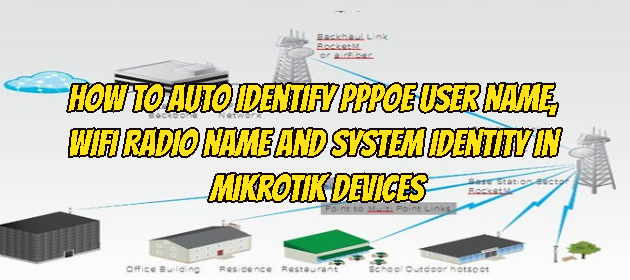
It may be necessary to automate the radio name on Wifi with the PPPoE username in order not to have difficulty in identifying Client devices and accessing them later, which is one of the basic requirements for each dealer providing WISP (Wireless Internet Service Provider) service.

To solve your needs for such situations, you can eliminate this problem with the following script.

:global userset
:set $userset [/interface pppoe-client get pppoe-out1 user];
/system identity set name=$userset
/interface wireless set 0 radio-name=$userset
Let’s see what the commands in the script above mean;

global userset: We define a globally accessible variable.
afterward
With the: set command, we draw the value information of the  $userset variable as the user information of the PoE Client then we send the necessary commands to update the system identity and the wireless card radio name information with the information in the $userset variable.

How to Create an IP Tunnel Between Cisco Router and Mikrotik Router

How to Create an IP Tunnel Between Cisco Router and Mikrotik Router

Fadıl

In this article, we will connect two Routers, Cisco and MikroTik, through the Ip Tunnel, a protocol used to provide network access for two devices that are not physically connected. For this you will need a static IP and a local IP address in both locations, 10.200.0.1 and 172.16.16.2 will be the “public” IP addresses, as shown in the example below.

On the Cisco router, in the general configuration mode, we enter the following configuration to create the IP tunnel:

How to Authenticate with Radius Server on Mikrotik Router

How to Authenticate with Radius Server on Mikrotik Router

Fadıl

We will use the Mikrotik device RB941-2nD model that we will use in this setup. We will proceed by installing Radius Server on Mikrotik RouterOS 6.46.2 version and Windows server 2008.

In the first step, after installing the radius server on Windows server 2008, we will configure it so that the users in the technical section in the environment can access it. Now let’s click on Add Roles under Rollers on the Windows server.

How to Backup and Restore Cisco Router / Switch

How to Backup and Restore Cisco Router / Switch

Fadıl

Backing up and restoring Cisco Router / Switches often saves us from a great mess in our network systems that have collapsed. Now, let’s briefly back up our cisco devices, and then let’s do the barber how to restore this backup.

In the first step, we will see how the backup process is done.

Cisco Router / Switch BACKUP

1. Open TFTP server

2. Access Cisco Router/Switch

3. Try to ping the TFTP server