Mikrotik

Edge Switch – Edge Point Mikrotik Romon Access Problem Troubleshooting

Edge Switch – Edge Point Mikrotik Romon Access Problem Troubleshooting

Fadıl

Hello there,

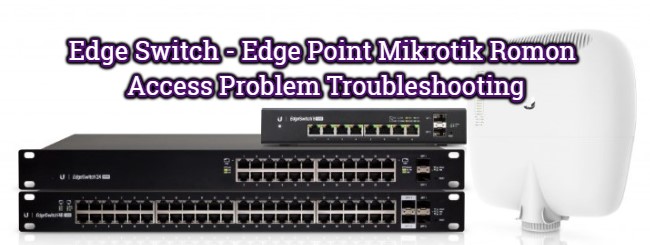
The UBNT EdgeSwitch and EdgePoint EP-S16 models were experiencing many revolutions in the past over MAC Discovery Access.

If you have a problem with the mac-discovery protocol (L2) between Romon Mikrotik uygulan s devices (L2), the following steps must be implemented by connecting to your Ubnt Edge Series Switches via SSH, TELNET or CONSOLE .;

1- enable // (type and press enter)
// depending on the software version you use, you may be asked for your login password again,
// enter your login password and press enter (default password: ubnt)
2- configure 
// (type and press enter)
3- mac access-list extended global 
// (type and press enter)
4- permit any any 
// (type and press enter)
5- exit 
// (type and press enter)
6- mac access-group global vlan 1 
// in (type and enter)
// in the above step you grant 1 e RoMon packet pass, which is the default VLAN ID of your Switch,
// If you want to enable RoMon relay for different VLANs on the switch,
// run the command again by replacing 1 in the above code with the desired VLAN ID.
// Example command: mac access-group global vlan 200 in7- exit 
// (type and press enter)
8- quit // (type and press enter)Would you like to save them now? (y / n) 
// warning,// press the letter y to save your changes,
// your command line connection will be closed automatically after saving your changes.

NOTE: This application has been performed in the test environment and has not been tested on active working systems,
Do not forget to take the backup just in case before applying the rules!

Mikrotik Router Hotspot Setup (Mikrotik Hotspot)

Fadıl

How to Create Hotspots Mikrotik

Setting basic Hotspot Mikrotik Mikrotik Router is a router that has full features. One feature that is quite popular and widely used of Mikrotik Router itself is Hotspot. Do you know the difference regular sharing internet with Hotspot? Perhaps you often find wifi internet signal in the password using WPA or WEP. You will be able to surf if you enter the password correctly. So anyone can access the wifi if know his password because the password is only one. Unlike the methods Hotspot, which is where most of the wifi hotspots in the password and any user can connect then be directed to a login page in the Web Browser. Each user can log in with the username and password are different. Such a method is often found in wifi Cafe, school, college, or other public areas.

6 Ways To Secure MikroTik Router

Fadıl

As a network administrator, the first thing is to Secure the Mikrotik (Proxy Router) that we manage, by closing the gaps that might be taken into “attack loopholes” by irresponsible users.

Here Are Some Ways To Secure MikroTik Router:

  1. Credentials, change the default admin password username.
  2. Disable Some Services.
  3. Disable Bandwidth Test Server.
  4. Deactivate the MAC Server feature.
  5. Disable Neighbors Discovery.
  6. Disable the RoMON feature.
  7. Update the RouterOS version.

Credentials

The first thing you can do to secure the Mikrotik Router before your router is discoverable to the internet cloud is to change the default admin username & password Of Mikrotik. You should also replace the default username “admin” to another username.

How to Connect Mikrotik to the Internet

Fadıl

How do I connect to the Internet Mikrotik

Perhaps this question ever arises when you are new to Mikrotik. There are several ways that can be taken to connect to the Internet Mikrotik. These ways depend on the modem or the devices used to connect to the Internet.

In general, how to connect to the Internet Mikrotik is as follows:

1. First, make sure the source of an internet connection. Is it from the ADSL modem (for example Speedy) or from a USB modem?

Error Message on the Login Page Hotspot Mikrotik

Fadıl

Explanation of Error Message on Mikrotik Hotspot Login Page

Login page Hotspot Mikrotik error message appears when you want to login to the Mikrotik Hotspot. What should we do? Hold down the question first. There are some error messages that can appear when we want to login to Mikrotik Hotspot. Each Mikrotik hotspot error message has different causes and solutions. Let’s see and learn first what error messages that can appear on the hotspot Mikrotik and what the problem.