Mikrotik

How to Prioritize Whatsapp, Facebook and Instagram Internet Traffic in Mikrotik

How to Prioritize Whatsapp, Facebook and Instagram Internet Traffic in Mikrotik

Fadıl

We paste our step-by-step codes into Mikrotik's the new terminal. You can then change the prioritization according to your wishes here.

For better understanding, it will be as it appears in the wibox pictures. First, you get the address list IP address for Facebook, it is the same for the others.

Copy and paste the ip firewall filter code part into the new terminal window.

/ip firewall filter
add action=add-dst-to-address-list address-list=Facebook address-list-timeout=4d chain=forward comment=Facebook content=.facebook.com
add action=add-dst-to-address-list address-list=Facebook address-list-timeout=4d chain=forward content=.fbcdn.net
add action=add-dst-to-address-list address-list=Facebook address-list-timeout=4d chain=forward content=.facebook.net
add action=add-dst-to-address-list address-list=Instagram address-list-timeout=4d chain=forward comment=Instagram content=.instagram.com
add action=add-dst-to-address-list address-list=Instagram address-list-timeout=4d chain=forward content=.cdninstagram.com
add action=add-dst-to-address-list address-list=Whatsapp address-list-timeout=4d chain=forward comment=Whatsapp content=whats.com
add action=add-dst-to-address-list address-list=Whatsapp address-list-timeout=4d chain=forward content=whatsapp.net
add action=add-dst-to-address-list address-list=Whatsapp address-list-timeout=4d chain=forward content=wa.me
add action=add-dst-to-address-list address-list=Whatsapp address-list-timeout=4d chain=forward content=whatsapp
add action=add-dst-to-address-list address-list=Whatsapp address-list-timeout=4d chain=forward content=.wa.me

In the next step, copy and paste the ip firewall mangle code part into the new terminal window.
How to Configure MikroTik SwOS Switches

How to Configure MikroTik SwOS Switches

Fadıl

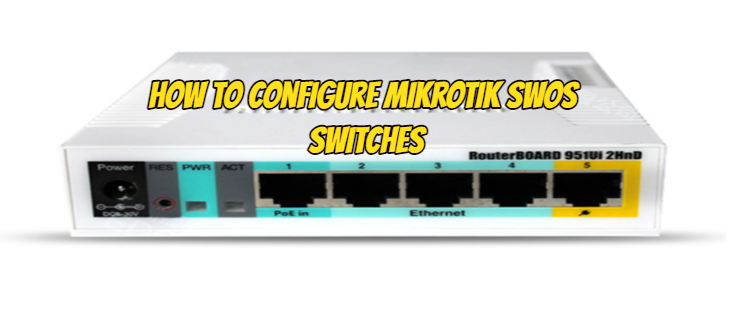
However, we have the opportunity to configure MikroTik SwOS Switches from the web interface. The default IP address and user information of your MikroTik SwOS Key are as follows.

Open your web browser and enter the IP address of your Switch (192.168.88.1 by default) and a login screen will appear.

SwOS default IP address: 192.168.88.1, user name: admin and there is no password.

We see the port values of your MikroTik SwOS Switch as shown in the picture below. We can change the names of these ports if we want, or we can see how many megabits the ports sit.

How to Secure Login of MikroTik RouterOS Users?

How to Secure Login of MikroTik RouterOS Users?

Fadıl

The security of our routers and smart switches, which form the backbone of our network, has an important place. For this, how to block certain IP addresses and ports from Firewall, our previous articles have already explained. Now, I will tell you that apart from the firewall, there should also be other settings that we need to make.

First of all, we need to turn off the services we use. If we can change the services we use, let’s change them. For this, we make the necessary settings from the Ip>service tab as seen in the picture below.

How to Make Mikrotik Firewall Ip and Port Banning Rules?

How to Make Mikrotik Firewall Ip and Port Banning Rules?

Fadıl

It is very important for us to leave out the ports and services that we do not use to create our network security with the Mikrotik router. In this article, we first connect to the Mikrotik Firewall Ip and Port Banning method with the winbox application to see how to do it.

From here;
From the Ip / Firewall menu, we go to the Filter Rules tab.

We add a new rule by pressing the + button.

How is Configuration Performed in Mikrotik LTE (4G) Integrated Model Devices?

How is Configuration Performed in Mikrotik LTE (4G) Integrated Model Devices?

Fadıl

In places where there is no network infrastructure, we may have to have internet from GSM operators. Or even if there is a network infrastructure, we may sometimes need it in redundancy. Now, let’s get some information about Mikrotik LTE / 4G Integrated models.

Below is a list of models that support LTE / 4G.

These Mikrotik LTE 4G supported models:

  • SXT LTE kit

  • RBSXTR&R11e-4G

  • LHG LTE kit

  • wAP LTE kit