Computer

How to Hide Files in Windows

Fadıl

Note: this will not keep fbi/police/anyone who knows computers really good from finding your files, only computer illiterate people and people who aren’t really looking for incriminating files on your computer.

Hiding The Files/Directories:

1) hide directories
2) encrypted directories
3) CDs and floppies

Hiding The Evidence:

1) browser history
2) cookies
3) temp files
4) windows history (Start->documents)
Ok, let me first start off with why you would want to do this.  You live at home with your parents and your brothers and sisters.  They all use the computer every once and a while, but you use it all day.  You do a few things on it that you would rather keep any of them from knowing about.  ex.  hacking. I’ll try to share some knowledge I’ve gained on keeping things secret from people on windows, I don’t know if this will work with any other versions of windows (most likely they will).  I will keep this very short and to the point, there are tons of little details that I could get into, but it would be a waste of everyone’s time.  Just think to yourself how to keep them more secret and you’ll be more productive than reading 40 pages by me telling you not to write down the location of your files on a post-it by the monitor.
I’ve decided to break this tutorial down into 2 main categories.  Hiding Files And Directories is the first, and Hiding The Evidence is the second.

MS DOS COMMAND LIST TUTORIAL

MS DOS COMMAND LIST TUTORIAL

Fadıl

A list of Ms-Dos commands and their usage

Attrib Sets the attributes of a file attrib +H -R +S -A new.txt -Sets new.txt to be hidden and a system file, but not read-only or archive
cd Change directory cd C:/data
CLS Clears the screen
Copy a file/ directory copy C:/note.txt C:/data/new.txt
del Delete a file del new.txt
deltree Deletes a directory and all subdirectories DELTREE c: temp
dir Lists all files in a directory
echo Prints to screen echo hello edit Opens to edit program
fdisk Opens the fdisk (disk wiper) program
find Displays all lines in a file containing search term find “hello” new.txt
format Formats a drive format a:
path Sets where dos should look for programs PATH c: windows;c: windows command

Morris Worm Source Code and History

Morris Worm Source Code and History

Fadıl

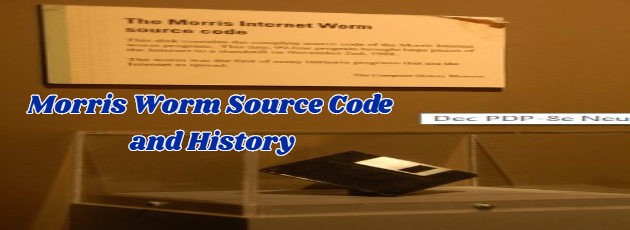
Morris worm was created by a student from Cornell University named Robert Tappan Morris. It was created on November 2, 1988.

According to creator this worm was not created to damage but to find out the size of the internet. It worked by exploiting the vulnerabilities in Unix Sendmail, finger and many more. Later it was discovered that it has the power to crash the computer.

The link below shows how the Morris Worm is structured and where you can download code.

How to Design a Computer Game

Fadıl

Are you tired of spending money on the latest games only to find out they are too easy or boring? Are you seeing the same game launched over and over again but with a separate revamp each time and you just want to sell them online? Then maybe you should try to create your own game!

You don’t have to be a computer wizard or work in some vast studio with hundreds of other geeks to design a game. These days there’s an app for everything, even if you have no experience with coding development. Game making tools will look after the technical stuff while you sit down and create. So if there is a game you want to play, here’s how to make it yourself.

How to Secure Your Cloud Account

Fadıl

Development of the Internet contributed to creating a huge virtual world where the security of digital identity is not very stable. Storing data in the cloud brought about a major security issue not only for companies that have to worry about their business data but for individual users whose online identities face different risks as well. Now as cloud computing solutions develop and grow in popularity, security and privacy issues gain in importance. The basics of ensuring they stay in the cloud are the following: