CentOS

Solving Centos 7 clone problem via Vmware

Solving Centos 7 clone problem via Vmware

Fadıl

We often encounter Centos 7 cloning problem via Vmware, we can solve the problem by following the steps below to solve this.

Step1: First, you go to the ethernet configuration file.

nano /etc/sysconfig/network-scripts/ifcfg-ens160

Step2: Let’s add the line below. Replace the existing MAC with your desired MAC Address.

MACADDR=00:00:00:00:00:00

#UID Turns Off

Step3: Save the configuration file.

Step4: Restart the networking process.

/etc/init.d/network restart

I hope it was a useful article.
Ubuntu Google Chrome Setup and Solution to Logon Problem

Ubuntu Google Chrome Setup and Solution to Logon Problem

Fadıl

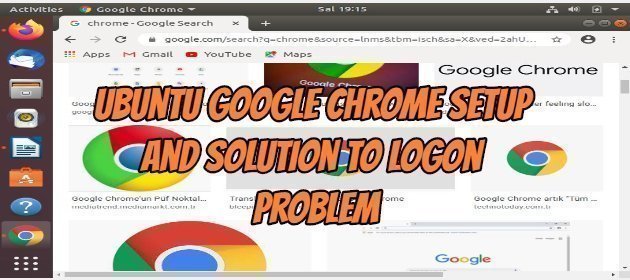
Google Chrome Setup

Let’s do step by step how to install google chrome from the command line terminal in Ubuntu. As a shortcut, open the terminal window with Ctrl + Alt + T command. Next, let’s install the following code according to whether our operating system is 32-bit or 64-bit.

Code to be used for the 32-bit operating system;

wget https://dl.google.com/linux/direct/google-chrome-stable_current_i386.deb

Code to be used for those with operating system 64-bit;
I will install it because my operating system is 64-bit.

How To Configure Basic DNS in Linux Operating Systems?

How To Configure Basic DNS in Linux Operating Systems?

Fadıl

In today’s article, we will learn how to do Basic DNS Configuration (dnsmasq) in Linux Operating Systems. For us, “dnsmasq“, which we will use for name resolution in small-scale network structures, will analyze the records we enter in our server’s “/ etc / hosts” file without requiring a very large configuration. will provide the possibility.

Now we will see how this is done in 6 steps.

Step 1. We download and install the “dnsmasq” package from the “yum repository” defined in our operating system

How to Configure DNS and DHCP Server on Linux Operating Systems?

How to Configure DNS and DHCP Server on Linux Operating Systems?

Fadıl

What is DNS?

DNS (Domain Name System) An IP address is provided to go to every web address on the Internet. It is quite difficult and troublesome to keep the IP addresses of these web addresses one by one in our minds.
DNS comes into play here. It gives a name corresponding to the IP of each web address, so the names that are easier to replace than IP addresses are the name of the system that helps us keep in mind. For example techsoftcenter.com (IP value: 172.104.31.121)

How to Reset “root” Password on Linux Operating Systems?

How to Reset “root” Password on Linux Operating Systems?

Fadıl

In this article, we will see how to reset the root password of our Linux operating systems. This will be useful if we forget or do not know the password of our operating system.
Of course, we need to be physically next to our server for this process. That’s why we have to care about the physical security of my servers in order not to hack our servers.

  1. As a first step, if our system is on, we shut it down and when starting again we press any key of the keyboard and enter our boot options.