How to install Cisco Packet Tracer on ubunt?
The Cisco Packet Tracer’s latest version or desired version is downloaded from the netcad site or you can download it here without having to sign up. (Download for Cisco Packet Tracer 7.2 64-bit Linux) It’s up to you.
Open the terminal by pressing the keyboard from the Ubuntu Terminal (Ctrl + Alt + t) and extract the tar file:
$ cd ~/Downloads
$ tar xzvf PacketTracer7.2forLinux64bit.tar.gz
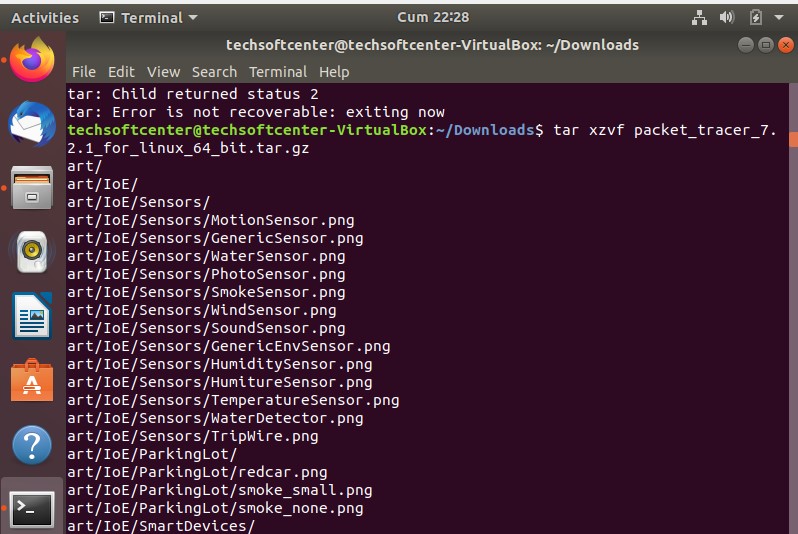
packet_tracer_tar
Start the installation from the tar file we opened. And create a directory. Command for the directory.