Publications

Java Tutorials: If Statements
In this tutorial I will discuss if statements and how they can be used to implement decision making in your programs.
First of all lets have a look at an example of an if statement. This will show you the syntax in Java.
if (age >= 18)
{
System.out.println("You are an adult");
}
else
{
System.out.println("You are a minor");
}
Just by looking at the code listed above it should be pretty obvious as to what the code does. It checks the value of the variable called age, if this is greater than or equal to 18 it prints “You are an adult”, and if it is less than 18 “You are a minor” will be printed.

Java Tutorial: Variables and Comments
To an experienced coder these two topics probably don’t seem to have much in common, the reason I am going over them in this tutorial is that they are both important concepts that I didn’t want to write 2 seperate tutorials for.
Variables
Ok. Now your computer stores data as different data types for example it sees the number value 3 in a completely different way to the sentence “Hello World”. So what is a variable. A variable is a place in your computer where you can store information. Pretty easy so far huh? Well now comes the important part: Each data type has a variable type associated with it. The most relevant are listed below.

HelloWorld.java
Introduction
Welcome to the first of my introduction to Java tutorials. These tutorials are aimed at complete beginners to programming. Java is a good language to start with because its syntax is very similar to the more powerful c++ and it has been designed in a very object oriented way. Object oriented programming (or OOP for short) is a way of programming that breaks the problem down into parts. These parts then slot together to form the solution.
How to Mikrotik Acces Point?
1-first step
In this article, we will make an example about point-to-point (P2P) connection. We will use the SXT-G-5HPnD.
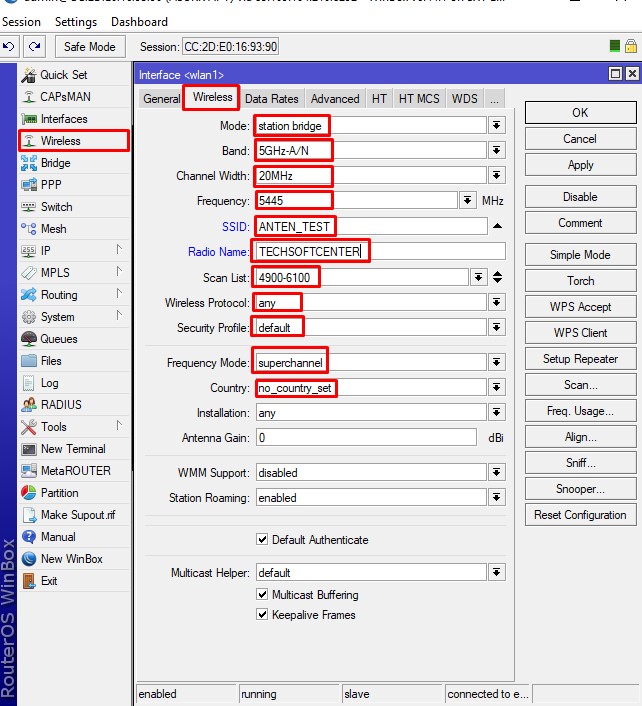
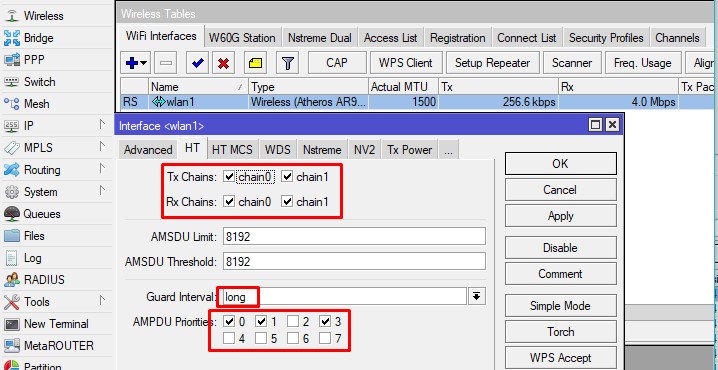
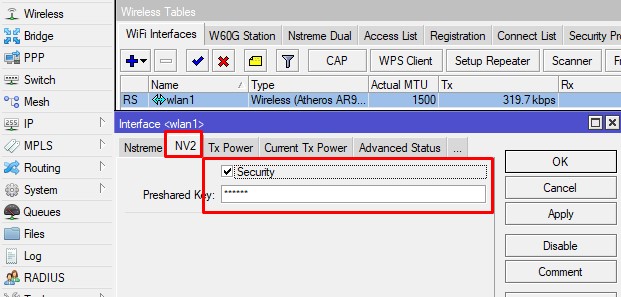
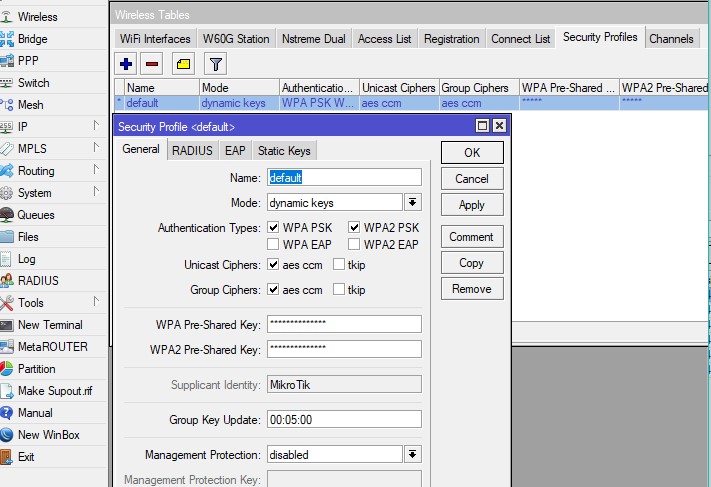
We will display the SXT-G-5HPnD wireless configuration with pictures.
Here we have the Lite configuration as an access point to be an antenna.
2-second step
3-third step
4-fourth step
5-fifth step
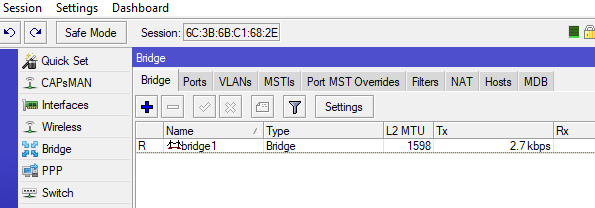
How to mikrotik Lite SXT 5 Station Bridge?
1-First step:
In this article, we will make an example of a point-to-point (P2P) connection. We will use SXT-G-5HPnD.
We will display the SXT-G-5HPnD wireless configuration with pictures.
Firstly we are making configurations in WLAN 1 in the wireless tab. If we want to write the wireless settings as script code
/interface wireless
set [ find default-name=wlan1 ] ampdu-priorities=0,1,3 band=5ghz-a/n disabled=no frequency=5445 \
frequency-mode=superchannel guard-interval=long mode=station-bridge \
nv2-preshared-key=****** nv2-security=enabled radio-name="test" scan-list=4900-6100 \
ssid=Test_Sektor interface wireless security-profiles
set [ find default=yes ] authentication-types=wpa-psk,wpa2-psk eap-methods="" mode=dynamic-keys \
supplicant-identity=MikroTik wpa-pre-shared-key=password  wpa2-pre-shared-key=password