Publications
How To Reset The Forgotten Root Password On CentOS 7
Hello there,
In this article, I will show you the server I used recently and forgot the password. I used Centos7 as the operating system.
First off, let’s shut down our server. Then, at the bottom of the opening screen, ” Press ‘e’ to edit the selected item or ‘c’ for a command prompt.” Let’s look at the part.
Let’s press ‘e’ ıp and continue.
Let’s go down with the arrow directions on the screen and find the relevant line.
How to Install and Settings User Manager Mikrotik
Mikrotik User Manager is very handy for the user management in Mikrotik, for example, a user on a hotspot. With User Manager, we can add, manage, and monitor users with ease. User Manager is an application management system within Mikrotik which also serves as a radius server that can be used for:
- HotSpot users,
- PPP (PPTP / PPPoE) users,
- DHCP users,
- Wireless users,
- RouterOS users.
- etc
Well, this time we will study Mikrotik challenge Mikrotik User Manager. You should know that not all Mikrotik RouterOS already installed features, User Manager. So please check first whether the user package manager already installed on your Mikrotik anything yet. If do not mean to be installed first.
How to Memory is Released When Memory Swells in MikroTik
Mikrotik devices swell their memory when they work for a certain period of time. This leads to a reduction in the efficiency of Mikrotik devices. This causes the internet speed to decrease or slow down. What can be done to prevent this slowness?
If you select the dashboard > add memory to see the memory occupancy rate in Mikrotik devices, you will see the memory.
Total memory and to see how much is free;
system> Resources

How To Block Website (Facebook) Using Layer 7 in Mikrotik Router
Below I will share the Mikrotik Tutorial to block facebook using Mikrotik L7 Protocol (Layer 7). Layer 7 protocol is a method for finding patterns in ICMP / TCP / UDP streams, or any other term Regular Expression pattern.
How Layer 7 works are to match (matcher) the first 10 packet connections or 2KB first connection and look for patterns/patterns of data matching the available. If this pattern is not found in the available data, the matcher does not check further. And it will be considered unknown connections. You should consider that many connections will significantly increase memory usage on your RB or PC Router. To avoid that add regular firewall match (pattern) to reduce the amount of data sent to the layer-7 filter.
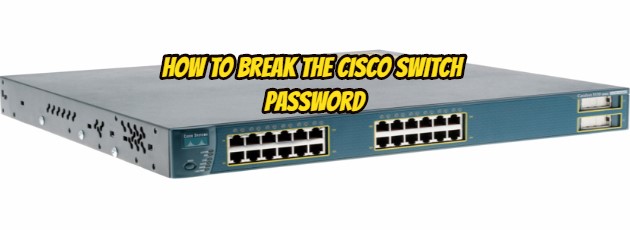
How to Break The Cisco Switch Password
In this article, I will try to explain how to enable the Cisco enable password.
1. Connect the switch to the computer via the console port via a putty or SecureCRT style program.
2. Unplug the switch in power cable.
3. Power on the switch again and hold down the mode button on the left side of the switch as soon as you power the switch. This opens the switch prompt screen.