Publications

How to Overcome the “No More Sessions are allowed for User Hotspot Mikrotik”
Login Error Message Hotspot Mikrotik there are many. In his prior articles, we have reviewed the Explanation of Error Message in Mikrotik Hotspot Login page.This time we will discuss one of Message Error during log Hotspot Mikrotik, namely, No More Sessions are allowed for User $ (username).
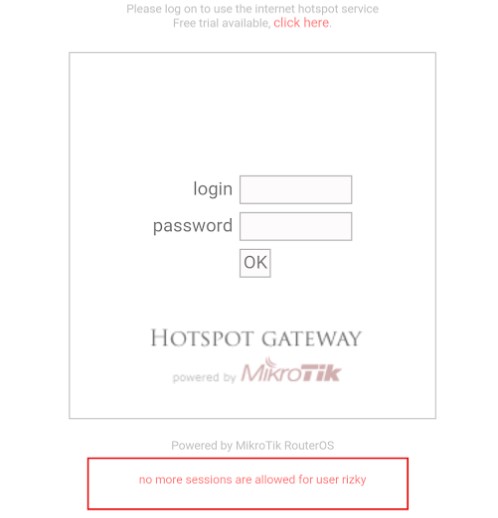
Hotspot Login Page Mikrotik
Why does the error message no more sessions are allowed for user $ (username) should be discussed?
Installing ClamAV Anti-Virus on CentOS And Scanning For Viruses on The Server
By installing ClamAV anti-virus on the server, you can scan for viruses on your server. Below we will try to explain how to install and scan.
Since there is no ClamAV in the standard CentOS libraries, let’s start by adding the EPEL repo to CentOS as the best way;
yum install epel-release -y
Then, with the command below, ClamAV anti-virus and Clamav Clamd Deamon is installed;
yum install clamav clamd
With the following commands, we set Clamd to start automatically with the system and start it;
How to Make Voucher Hotspot Mikrotik via User Manager
Make use Voucher Hotspot Mikrotik User Manager is quite complicated. Many things must be configured to be able to generate Voucher Hotspot Mikrotik Mikrotik in the User Manager. By using a voucher system, we can more easily in selling Internet connection via WiFi Hotspot Mikrotik to customers. We do not need to add the user each time a customer wants to subscribe to a WiFi Hotspot. We stayed to generate username and user password automatically, and print it in the form of vouchers to be sold to customers.

Recover (Change) Linux Mysql Root Password
Multiple passwords can sometimes be difficult to keep in mind. One of these is when we forget the MySql Linux root password. If you have forgotten the MySQL root password on Linux, you don’t have to worry about that, you can recover it by following the steps below;
First, restart MySQL by giving the following command.
mysqld --skip-grant-tables
Then connect to MySQL with MySQL utility without using the password.
mysql> update mysql.user set Password=Password(‘new password’) where User=’root’;
mysql> flush privileges;
Finally, restart MySQL again normally without --skip-grant-tables.
Mikrotik HotSpot User Manager Settings
Setting User Manager with Mikrotik Hotspot – In the previous article has been discussing How to Install and Mikrotik User Manager Settings. MikrotikNetworking will discuss Setting User Manager to be integrated with Hotspot Mikrotik.
This article will discuss how to build user management integrated into one in the user manager by using 2 different Routerboard devices where each router that is already their hotspot service system, for its topology as in the picture below