Publications
What Are Computer Memory Units?
Computer Units
We usually hear that the memory capacities of computers, mobile phones, televisions, and many other electronic devices in our lives are this. In this article, we will see what these memory values are.
The smallest unit of capacity used on the computer is a bit. One bit; It consists of 0 (zero) or 1 (one). When 8 bits come together, 1 byte (read as a byte) is formed. Each character occupies one byte on the computer. So 1 character = 1 byte. Now let’s see what the next byte values are.
How to configure UBNT GBE-LR – UBNT GigaBeam LR – 60GHz, airMAX AC 60 GHz / 5 GHz?
GigaBeam LR with a high gain satellite antenna is a 60 GHz radio designed for low noise and high-efficiency connection in urban environments with high signal intensity in long-range applications. It includes a 5 GHz radio that also provides redundancy for outages. They are indispensable devices for high traffic transmissions for their 2 Km to 12 Km models.
2.4GHz Internal wireless configuration broadcast and UNMS Application
In addition, in difficult installation areas, you can use the 2.4 GHz wireless configuration broadcast, which offers a connection up to 20 meters from the device internally to facilitate your maintenance during or after installation, thanks to this broadcast you can use your device or your device at any point on the local network where your device is included. Or you can use this publication to interfere with your device with the UBNT UNMS quick configuration software, which is offered free of charge on Android and IOS platforms.

What is Li-Fi Technology?
Li-Fi (Light Fidelity) is a wireless optical network technology that uses LED lights to wirelessly communicate and transmit data between devices. Li-Fi technology is a light-based communication technology that aims to utilize light waves instead of radio signals to present data. In order to fully understand Li-Fi technology, it is important to understand how Wi-Fi technology provides internet and data to our devices.
Generally, Wi-Fi uses radio frequency to transmit data and signals are spread over a specific area by a data point. Li-Fi is the “Visible Light Communication” system. In other words, Li-Fi uses light in bulbs, as we all know, instead of radio frequencies to transmit data. It should be known that Li-Fi technology is much stronger and faster than Wi-Fi technology because it is easier to focus the signals transmitted using light compared to radio frequencies to a single area.

How is Configuration Performed in Mikrotik LTE (4G) Integrated Model Devices?
In places where there is no network infrastructure, we may have to have internet from GSM operators. Or even if there is a network infrastructure, we may sometimes need it in redundancy. Now, let’s get some information about Mikrotik LTE / 4G Integrated models.
Below is a list of models that support LTE / 4G.
These Mikrotik LTE 4G supported models:
SXT LTE kit
RBSXTR&R11e-4G
LHG LTE kit
wAP LTE kit
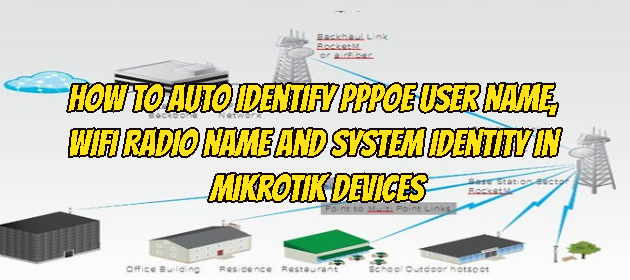
How to Auto Identify PPPoE User Name, Wifi Radio Name and System Identity in Mikrotik Devices
It may be necessary to automate the radio name on Wifi with the PPPoE username in order not to have difficulty in identifying Client devices and accessing them later, which is one of the basic requirements for each dealer providing WISP (Wireless Internet Service Provider) service.
To solve your needs for such situations, you can eliminate this problem with the following script.
:global userset
:set $userset [/interface pppoe-client get pppoe-out1 user];
/system identity set name=$userset
/interface wireless set 0 radio-name=$userset
- Let’s see what the commands in the script above mean;
global userset: We define a globally accessible variable.
afterward
With the: set command, we draw the value information of the$usersetvariable as the user information of thePoE Clientthen we send the necessary commands to update the system identity and the wireless card radio name information with the information in the$usersetvariable.